
Salesforce alerts and incidents
- 100 %
- inside your org
- 0
- outbound data by default
- 71
- controls self-assessed out of 255 catalogued
- 10 min
- to install
The French text governs. This page is the English version of Alertes FR.
28 capabilities, a good part of which exist for a single reason: not to drown you. A detection tool that sends five alerts for one incident ends up as an inbox rule, and detects nothing any more. What the Discovery offer opens among them: 3.
- 28
- capabilities in this family
- 3
- active on installation day, on the Discovery offer
- Discovery
- entry tier of the family
What this family measures
Emitting. Two channels stay inside your org and are open from the Discovery offer: the platform event and the custom notification. E-mail comes with any paid plan. The finding detail inside the platform event, however, is closed by default: a Pub/Sub subscriber receives the whole payload whatever its own permissions, so the delivered event carries coordinates only — a subscriber wanting the detail re-reads the finding under its own rights. E-mail leaves from an organization-wide address the administrator sets on the channels screen; until it is verified and open to all profiles in Setup, the alert leaves from the user who scheduled the scan, and the screen says so.
An alert goes out when something changes, not at every scan: a finding that is new, worsened, reopened or recreated. A Critical finding still open is reminded every 24 hours by default (configurable from 1 to 168 hours), a High or a Medium once a week. This holds on every tier.
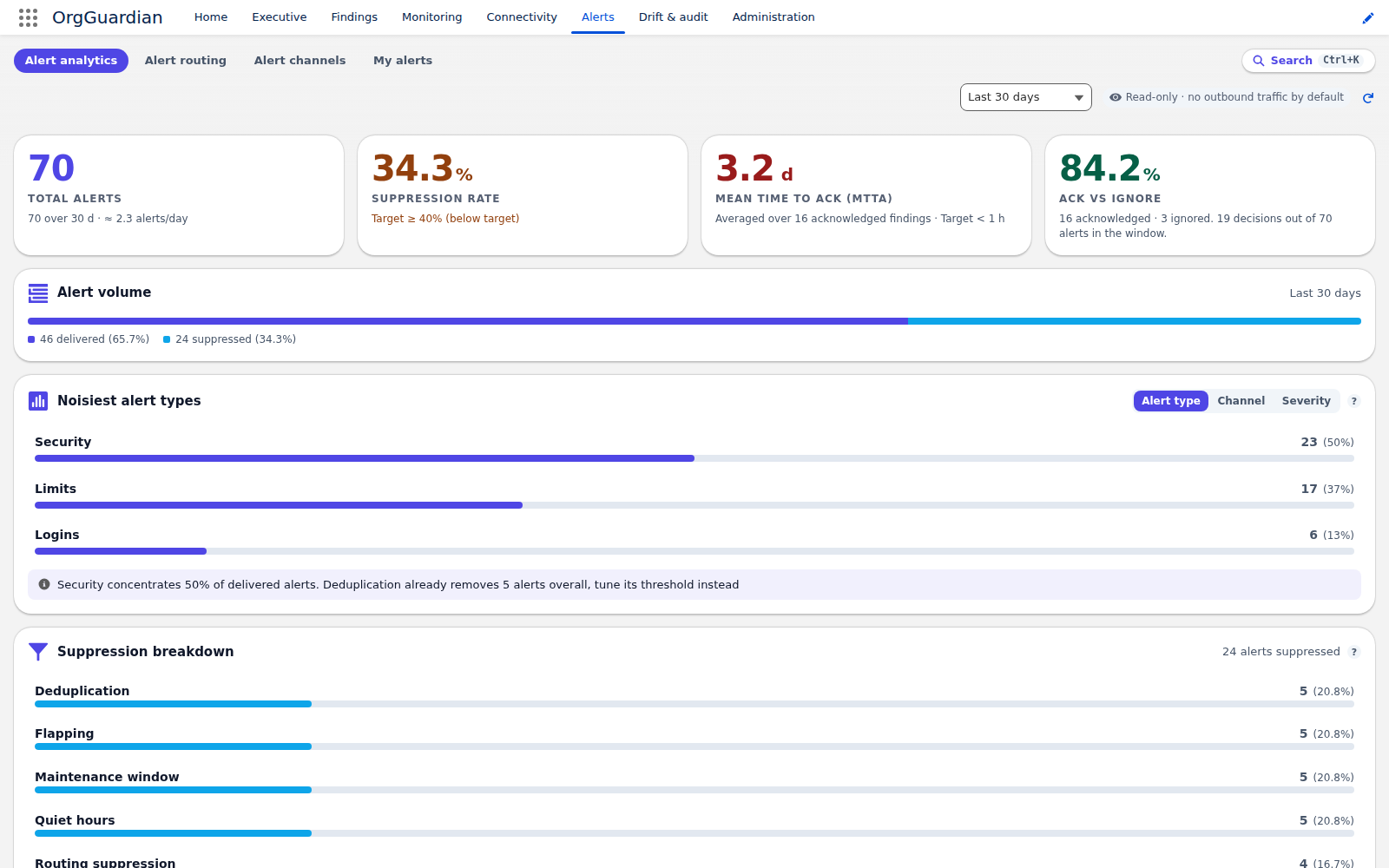
Not drowning. Deduplication, grouping, flapping suppression when a finding opens and closes in a loop, burst correlation, quiet hours per recipient group in that group's own timezone, and maintenance windows. Routing, escalating, accounting: a single rule that replaces the siloed channels — and that a business unit or a criticality tier can narrow —, escalation chains triggered by the age of an unacknowledged finding, the acknowledgement link posted into Slack or Teams, history, and the analytics measuring your mean time to acknowledge and your ignore rate.
External channels — Slack, Teams, PagerDuty, webhook — are included in any paid plan, go to a destination you choose with your credentials, and are closed at delivery. Chatter, for its part, never leaves the org.
The 28 capabilities, one by one
| Capability | Minimum offer | At install |
|---|---|---|
| Emitting | ||
AlertingAlerting | Discovery | Open |
Platform Event alertsAlert_PlatformEvent | Discovery | —, display tier: nothing to toggle, the offer is enough |
Custom notification alertsAlert_CustomNotification | Discovery | —, display tier: nothing to toggle, the offer is enough |
Finding detail in Platform Event alertsAlert_Event_Detail · closed by default: the event carries coordinates only, never the finding prose | Discovery | Closed |
Email alertsAlert_Email | Any paid plan | —, display tier: nothing to toggle, the offer is enough |
Reports by recipientReport_Routing · the posture report goes to leadership and the CISO at their own cadence: e-mail already consented, to the internal members of the permission sets you name, no new outbound call | Any paid plan | Closed |
Personal alert preferencesAlert_Self_Service · each recipient tunes what they receive; with no readable preference we deliver, and a critical finding, an escalation, an incident drill or the board report are never filtered | Any paid plan | Closed |
| Not drowning the reader | ||
Alert deduplicationAlert_Deduplication | Any paid plan | Open |
Alert groupingAlert_Grouping | Any paid plan | Closed |
Alert flapping suppressionAlert_Flap_Suppression | Any paid plan | Closed |
Alert burst correlationCorrelation_Burst | Any paid plan | Closed |
Quiet hoursQuiet_Hours | Any paid plan | Closed |
Maintenance windowsMaintenance_Windows | Any paid plan | Closed |
| Routing, escalating, accounting | ||
Alert routingAlert_Routing | Any paid plan | Closed |
Alert escalationAlert_Escalation | Any paid plan | Open |
Escalation chainsAlert_Escalation_Chains | Any paid plan | Closed |
Chat acknowledgement linkInbound_Ack | Any paid plan | Closed |
Alert historyAlert_History | Any paid plan | Open |
Alert analyticsAlert_Analytics | Any paid plan | Open |
| Incidents | ||
Incident managementIncident_Management | Any paid plan | Closed |
Incident drill (rehearsal)Incident_Drill · dry rehearsal: the escalation chain is resolved end to end, with zero send and zero outbound flow | Any paid plan | Closed |
Incident drill in live modeIncident_Drill_Live · closed at install; it requires its own gate, management authority and a typed confirmation phrase | Any paid plan | Closed |
| External channels | ||
Slack alert channelChannel_Slack · outbound flow to a destination you choose, with your credentials | Any paid plan | Closed |
Slack reaction acknowledgementChat_Reactions · reacting to the alert in Slack acts on the finding: a green tick means taken in hand, not muted. A sub-gate of Slack, under a DISTINCT consent, read hourly and twenty-five messages per pass at most; no inbound entry point, and no Salesforce user is attached to a reaction | Any paid plan | Closed |
Teams alert channelChannel_Teams · outbound flow to a destination you choose, with your credentials | Any paid plan | Closed |
PagerDuty alert channelChannel_PagerDuty · outbound flow to a destination you choose, with your credentials | Any paid plan | Closed |
Webhook alert channelChannel_Webhook · outbound flow to a destination you choose, with your credentials | Any paid plan | Closed |
Chatter alert channelChannel_Chatter · stays inside your org: Chatter is not an outbound flow. Off at install, until you designate the feed to post to | Any paid plan | Closed |
— display tier: nothing to toggle, the offer is enough
Source: read from the package code at the moment this page is built — FeatureGate.FEATURE_TIER for the offer, FeatureGate.CODE_DEFAULTS for the state at install, and for the label the full resolution of FeatureToggleAdminController: the enablement guide’s catalogue first, the GateLabels custom labels next, and failing that the technical name as is. The editor’s labels — the whole column, not just that fallback — ship in English: master language en_US, and the package carries no translation file: these are the exact strings your administrator reads in the feature editor, and the site build fails if any of these lists moves without the others. “Closed” does not mean absent: the capability is shipped, it is waiting for a human to open it inside the org — and a capability whose implementation nothing in the package can reach appears on none of these pages: the build drops it instead of selling it.
What this family does not do
- No alert triggers an action inside your org. An escalation warns a human; it does not close the access it reports.
- No external channel is open at delivery. Each is enabled separately, inside the org, by an administrator.
- We call nobody. No phone on-call: PagerDuty does it better, and that is exactly why the channel exists.
- Correlation groups, it does not diagnose. It says “these five findings move together”, not “here is the cause”.
The other families
Is this family in your offer? The grid says so line by line.
See the pricing grid Back to the seven families