
Documentation
- 100 %
- inside your org
- 0
- outbound data by default
- 71
- controls self-assessed out of 255 catalogued
- 10 min
- to install
The French text governs. This page is the English version of Documentation FR.
Six blocks, in the order you will meet them. When a fact is not established, the page says so rather than asserting it.
1. Prerequisites
Salesforce editions. OrgGuardian is supported on Enterprise, Unlimited,
Performance and Developer Editions. Professional and Group are not, for two reasons that
lie in the product: the trend history is written to Big Objects, with no fallback storage; and the
OS_SelfOrg self-callout, on which Health Check parity, Event Monitoring or the
certificate probe depend, queries your own org's API, and access to it is not included as standard
in these editions. The package does not read your org's edition: nothing blocks the install, the
check is yours. Tell us your edition when you ask for the trial; the trial install goes on a sandbox
first.
API version. 67.0. Second-generation managed package (2GP), namespace
orgguardian.
On the installing user. Your org's package-install rights. On whoever
configures afterwards. The platform privilege “Customize Application” or the
shipped custom permission OrgGuardian_Manage_Features, carried by the
OrgGuardian_Admin permission set. The package never grants it to itself: the platform
decides.
2. What the package puts in your org
75 objects and types: 20 custom objects (findings, activities, metrics, attestations,
no-code configuration), 9 custom settings, 7 history Big Objects, 37 custom metadata types (gates,
rules, regulatory mappings), 2 platform events. Tabs, a Lightning app, five permission sets
(OrgGuardian_Admin, OrgGuardian_Analyst, OrgGuardian_Auditor,
OrgGuardian_Financials, OrgGuardian_Viewer). No outbound flow active at
delivery, no named credential needed for the first scan.
3. The first scan
Open the console with an account holding the View Setup and Configuration permission (a system
administrator has it): the recurring scan schedules itself on that first opening, and the first
findings arrive within the hour. Without that permission, the reference scan still runs, but no
recurring scan is scheduled until such an account opens a screen — the screen says so. The
OrgGuardian_Admin permission set alone is not enough. That first opening by an administrator also arms the 30-day trial of the
full plan, once per org: the first scans therefore run on the whole product. When it ends, with no
licence key, the org is on the Discovery offer: only that tier's capabilities serve (limits,
health and failed logins supervision, plus a security core: accounts without MFA, guests, public
links, OAuth apps, Modify All Data / View All Data holders). Your licence key opens the rest with
no reinstall; some paid capabilities are then active straight away, the others wait for an
administrator to turn them on.
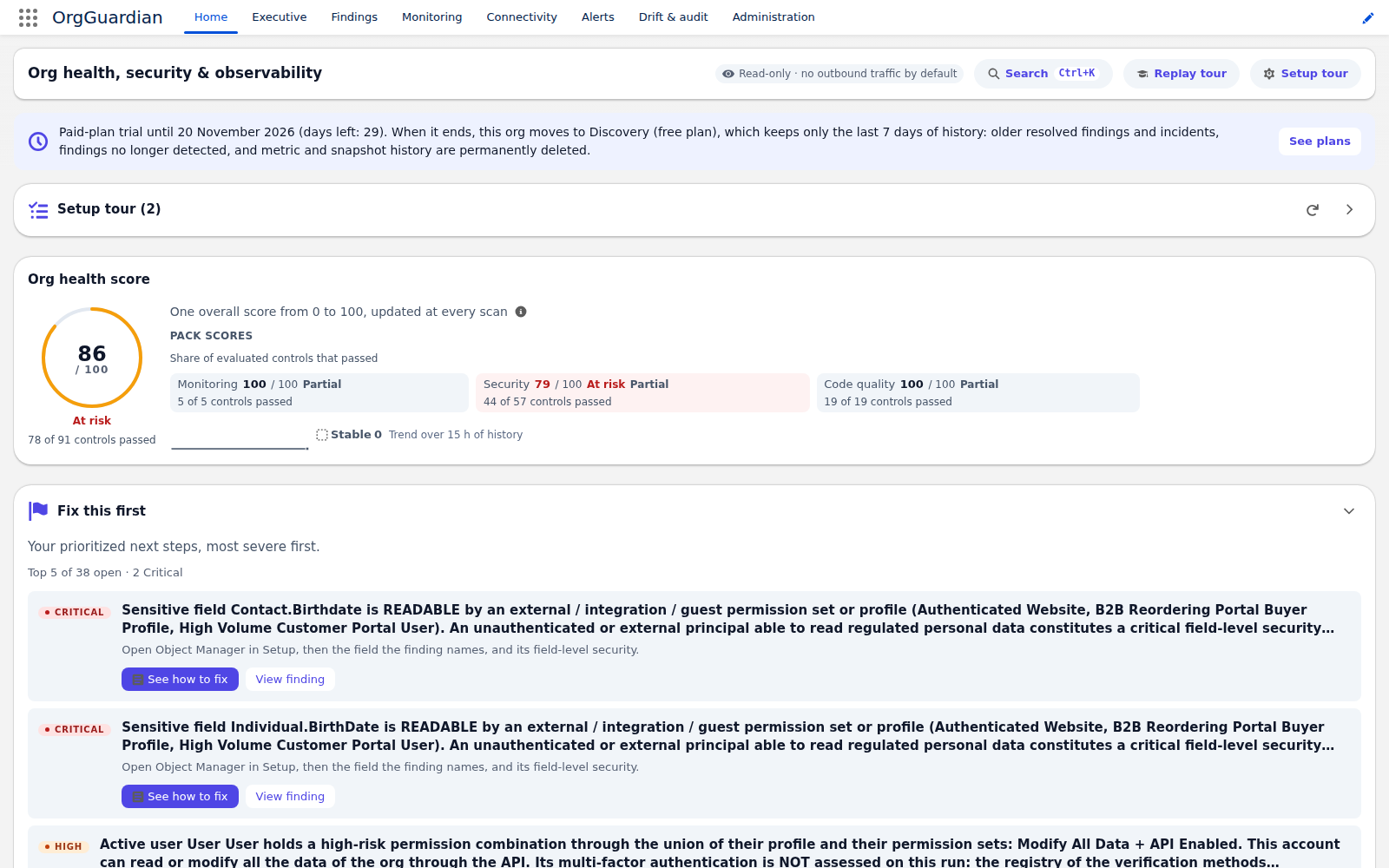
One setup step is required: the scan account's read access. The account that runs the scans — the owner of the OrgGuardian Hourly Scan job — needs four read permissions: View Setup and Configuration, View Roles and Role Hierarchy, View All Users and View All Profiles. No permission set in the package carries a system permission. A system administrator already has them; otherwise, you grant them through a permission set you create. The setup journey reminds you right after the permission set is assigned (Give the scan account read access to setup). While one of them is missing, every scan names it, the Security score is reported as partial and the controls that depend on it are not evaluated: never a “healthy” verdict on a filtered read.
4. What is optional, and not a prerequisite
- Shield / Event Monitoring: not required. When present, it enriches two features: reading security events (report exports, Bulk API jobs, Login As sessions, Threat Detection anomalies), closed at install: an administrator turns it on, on any paid plan, once two Setup steps are done; and the log-file detectors, disabled by default and included in any paid plan.
- The
OS_SelfOrgself-callout (OrgGuardian self-org connection in Setup): not required for the first scan. It opens the reads through your own org's API. The Administration › Settings › Tooling API access screen guides its wiring, tests it end to end, then opens the features that depend on it one by one — never without a passing test. It does not write the credentials for you and never asks for the client secret. - Hosted viewer: an option on any paid plan, disabled at install, enabled by an administrator after explicit consent, and sending only health aggregates with no personal data.
- External channels (Slack, Teams, PagerDuty, webhook), SIEM, ITSM: each opens separately, to a destination you choose, with your own credentials.
5. What an uninstall destroys
Everything. Uninstalling a managed package removes its objects and their data: findings, history, metrics, signed attestations, configuration. Salesforce keeps neither a recycle bin nor a restore. Before uninstalling: export findings and attestations as CSV and the configuration as JSON from the console, and rehearse once on a sandbox to measure what you get back. No export path reads the history Big Objects: that is documented, not hidden.
If the uninstall is refused on the dashboards folder (“Before deleting this folder, you need to delete these dashboards from the folder and the Recycle Bin”): the platform only deletes the “OrgGuardian” folder when it is empty, Recycle Bin included. Delete the three dashboards the package ships from that folder, delete them permanently from the Recycle Bin, and run the uninstall again. No package script can do it before you: Salesforce runs no package code before an uninstall.
6. The complete guides — 1.0.0.7 edition
The package's customer documentation, in English like the interface, written for version 1.0.0.7, in reading order. The security assessment documents are also gathered on the Publisher security page.
- Installation Guide : from an empty org to the first scan, with the supported editions, sandbox first, access, and what an uninstall deletes. PDF, 472 KB
- Permissions and Personas : the shipped permission sets, who sees what, and the read rights you grant the scan account. PDF, 599 KB
- Configuration Guide : no-code configuration, where it is done and what it writes, metadata type by metadata type. PDF, 1.1 MB
- Operations Guide : what runs on its own (the scheduled jobs), findings, dashboards, alerts and exports. PDF, 823 KB
- Troubleshooting Guide : symptom by symptom, the cause, how to check it in your org and how to fix it. PDF, 437 KB
- Uninstall Guide : what an uninstall deletes, the prerequisites without which it fails, and what to export first. PDF, 500 KB
- Security FAQ : what the package reads, what it stores, what can leave the org, and the query that checks it in yours. For the CISO, the DPO or the security architect. PDF, 509 KB
- Glossary : one definition per term, with API names and labels exactly as the package ships them. PDF, 644 KB
- Data Sheet : the product on one sheet, with its coverage, the figures counted in the package source and the outbound flows. PDF, 1.0 MB