
Auditing the security of a Salesforce org: what to check, in order
The order is a reading order, not a defensible ranking: the first points can be checked in an hour from Setup, the last ones need tooling. Under each point: where to read it in Setup, the detector that measures it, and its threshold — so that every claim in this article can be contradicted by a screenshot.
- 100 %
- inside your org
- 0
- outbound data by default
- 71/255
- controls self-assessed
- 10 min
- to install
What Health Check does not tell you
The native Health Check scores session and password settings against a
baseline — and nothing else. A 90% score there is compatible with an integration account that
combines Modify All Data and an API without MFA. What it reads and does not read is
set out in the Health Check, Security Center,
OrgGuardian comparison; this article starts from there.
The effective permissions of non-human accounts
Start with them, not with users. An integration account often carries the broadest permissions in the org and the weakest controls: no MFA, no IP address restriction, a password that never expires.
The permission to measure is the effective one — the sum of the profile and of every permission set assigned. Reading the profile alone systematically underestimates.
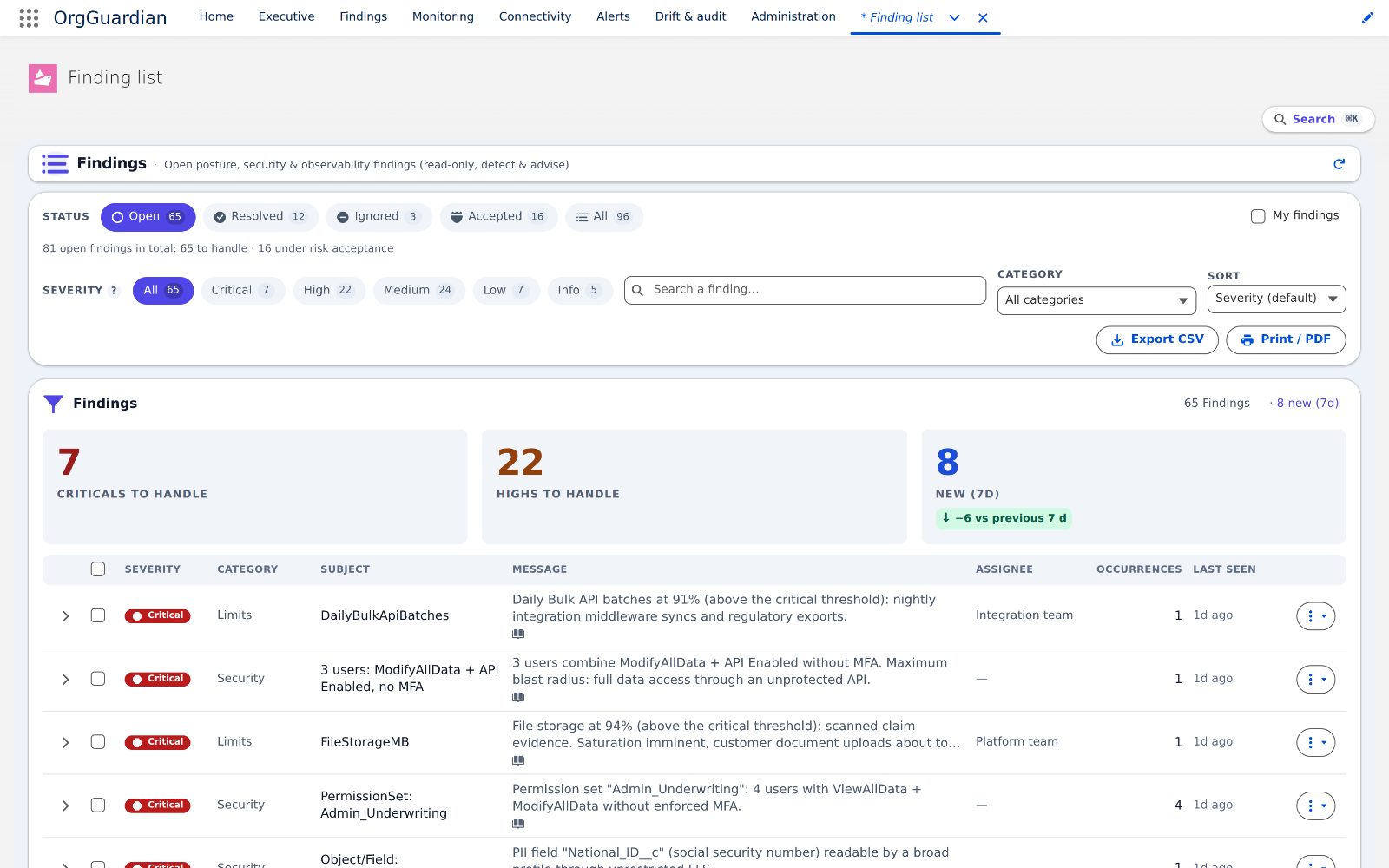
Where to check: Setup › Users, filter on the “Salesforce Integration” licence and API profiles, then read each account's cumulative rights (profile + permission sets) — Integration user (Salesforce Help)
Detector PrivilegedAccountHygieneCollector · finding Security:PrivHygiene:OverScoped · threshold: a technical account holding ModifyAllData, ViewAllData or AuthorApex
Authentication status, cross-referenced with permissions
The useful question is not “how many accounts without MFA?” but “which accounts without MFA carry broad permissions?”. The cross-reference is what turns a list into a priority.
Where to check: Setup › Permission Sets and Profiles, the “Multi-Factor Authentication for User Interface Logins” permission, crossed with the same account's admin permissions — MFA (Salesforce Help)
Detector MfaGapCollector · finding Security:MfaGap · threshold: any active high-privilege account without mandatory MFA; listed up to 50 accounts, beyond that the finding says so
Connected apps and their OAuth scopes
Every authorised app holds a token that outlives the departure of the person who authorised it.
Three questions: which scopes were granted, when the app was last used, and who authorised it.
A dormant app with a full scope is permanent access that nobody is watching.
Where to check: Setup › Connected Apps OAuth Usage: last-use column, active token count, granted scopes — Manage OAuth access (Salesforce Help)
Detector ConnectedAppRiskCollector · finding Security:OAuthApp · threshold: dormant at 90 days, risk score from 40 (full or refresh_token scope = 30 points), high at 70
Guest access and communities
The guest profiles of Experience Cloud sites sometimes inherit unintended object permissions. The data exposed is then exposed to an unauthenticated visitor. This check is quick to run and regularly produces surprises.
Where to check: Setup › Digital Experiences, then each site's guest profile › Object permissions and guest user sharing settings — Guest user profile (Salesforce Help)
Detector GuestExposureCollector · finding Security:GuestExposure · threshold: any object readable or writable by a guest profile
Certificates and outbound communications
An expired certificate does not raise a security alert: it causes an integration outage, on a Friday evening. Record the expiry dates, and the status of outbound endpoints — an endpoint that fails silently is a business flow that no longer runs.
Where to check: Setup › Certificate and Key Management (expiry dates), and Setup › Named Credentials for the inventory of outbound destinations — Certificates and keys (Salesforce Help)
Detector CertExpiryService · finding CertExpiry:OrgCert · threshold: certificate expiring within 30 days, outbound endpoint failing repeatedly — Mid-market tier, disabled at install
Headroom on platform limits
Salesforce limits — API calls per day, storage, concurrent asynchronous jobs, Bulk batches — are consumed gradually. They are only discovered at the ceiling, which is to say at the worst possible moment. The useful measure is the remaining headroom and its trend, not the instantaneous value.
Where to check: Setup › Company Information (storage), Setup › API Usage, and the REST /limits resource for the rest — API request limits and allocations (Salesforce developer docs)
Detector OrgLimitsCollector · finding Limits:DailyApiRequests · threshold: remaining headroom and 24-hour trend, not the instant value — Discovery tier, active at install
Deployed code and configuration drift
The last check is the most expensive to carry out: the quality of the Apex and LWC code running in the org, and the gap between the current configuration and a reference state. The gain is real but diffuse — this is what you look at once the first six checks are under control.
Where to check: Setup › Apex Classes and Lightning Components for your own org's code (managed package class bodies come back hidden); Setup › Setup Audit Trail for drift — Setup Audit Trail (Salesforce Help)
Detector TechDebtCollector · finding CodeQuality:TechDebt · threshold: technical debt per file and drift from the reference state — Small business tier
Sharing defaults, sharing rules and the role hierarchy
Permissions are only half of access. The other half is sharing: an object set to Public Read by default exposes every one of its records without any permission having decided it, and a role placed high in the hierarchy sees everything below it. This point was long missing from configuration audits because it lives in a table nobody opens. It can nonetheless be read with a single query.
Where to check: Setup › Sharing Settings, the organisation-wide defaults table, internal and external columns; Setup › Roles for the hierarchy — Organization-wide defaults (Salesforce Help)
Detector SharingExposureCollector · finding Security:Sharing:OWD · threshold: Public Read or Public Read/Write, internal or external — four cases, internal write comes out at High severity
What these eight checks do not cover
They cover the configuration that is readable from inside the org. Four things are out of their reach by design.
- The content of the records. They measure who can reach the data, never what is stored. A card number typed into a free-text field is seen by none of the seven.
- Actual usage. They read configuration, not logs. Who exported what, when and from which address: those traces live in Event Monitoring, a paid Salesforce option. Without it, bulk export is inferred from a capability, not observed.
- The code of managed packages. The body of a class installed from a package is not readable from the org: it comes back hidden. Check 7 therefore sees only the code your own org owns.
- What has already left. Backups, past exports, a sandbox seeded with production data, copies in a warehouse. Withdrawing a privilege in the org withdraws nothing from a copy already made.
Why a method, and not a campaign?
These eight checks share one flaw: their result is out of date the next day. A permission set assigned, a connected app authorised, a certificate approaching its expiry date — each changes the state without triggering anything.
This is why an annual audit mostly measures the moment at which it took place. What protects is repeated measurement and comparison with the previous state.
Do you need a tool to run this audit?
No for the first pass: the eight checks above can be run by hand, given time. Yes for the repetition: it is the frequency, not the depth, that calls for tooling.
What should an actionable audit produce?
An actionable finding names its target — the profile, the app, the certificate — states why it is serious, and proposes a remediation that someone can carry out. A list of scores with no named target does not turn into action.
Author
Stéphane Berthoz
Builds and maintains OrgGuardian, the Salesforce managed package published by DOPAMINE SAS. Everything described here comes from building the tool, not from reading about it.