
Toxic permissions on Salesforce: the combinations that create the risk
A toxic permission is almost never a dangerous privilege on its own. It is a combination of privileges that, one by one, all have a good reason to exist. That is why it survives access reviews, and why no native alert fires.
- 100 %
- inside your org
- 0
- outbound data by default
- 71/255
- controls self-assessed
- 10 min
- to install
What is a toxic permission?
A toxic permission is a set of privileges whose combination on a single account enables an action that none of those privileges enabled on its own. On Salesforce, the most common form pairs a broad read privilege, a write or export privilege, and the absence of a control that should have governed both.
The difficulty is not recognising a sensitive privilege — every administrator knows what
Modify All Data does. It is seeing that it coexists, on the same profile,
with API access enabled and without multi-factor authentication. Each element was granted at a
different time, by a different person, for a legitimate reason.
Which combinations come up most often? Detector by detector
Each combination below carries the detector that measures it, its finding key and its threshold — the same standard of proof as the complementary list further down, so that none of the five is asserted without being checkable.
Full read access + bulk export
View All Data paired with an export privilege — Bulk API, weekly export,
or an exportable report — gives an account the ability to extract the entire customer
data set in a single operation. Neither privilege is abnormal: the first serves
support, the second serves management oversight.
Detector DataExportRiskCollector · finding Security:DataExport:BulkExport · threshold: ViewAllData crossed with DataExport, ExportReport or ApiEnabled on the same active account — High finding as soon as more than 3 active accounts hold the combination
Full write access + API + no MFA
This is the combination most often cited in Salesforce incidents. Modify All
Data and API access on an account that does not require a second factor turn a
compromised credential into full access, with no human interaction and no interface trail.
Integration accounts are particularly exposed: they are granted broad privileges
because they automate, and they are spared MFA for the same reason.
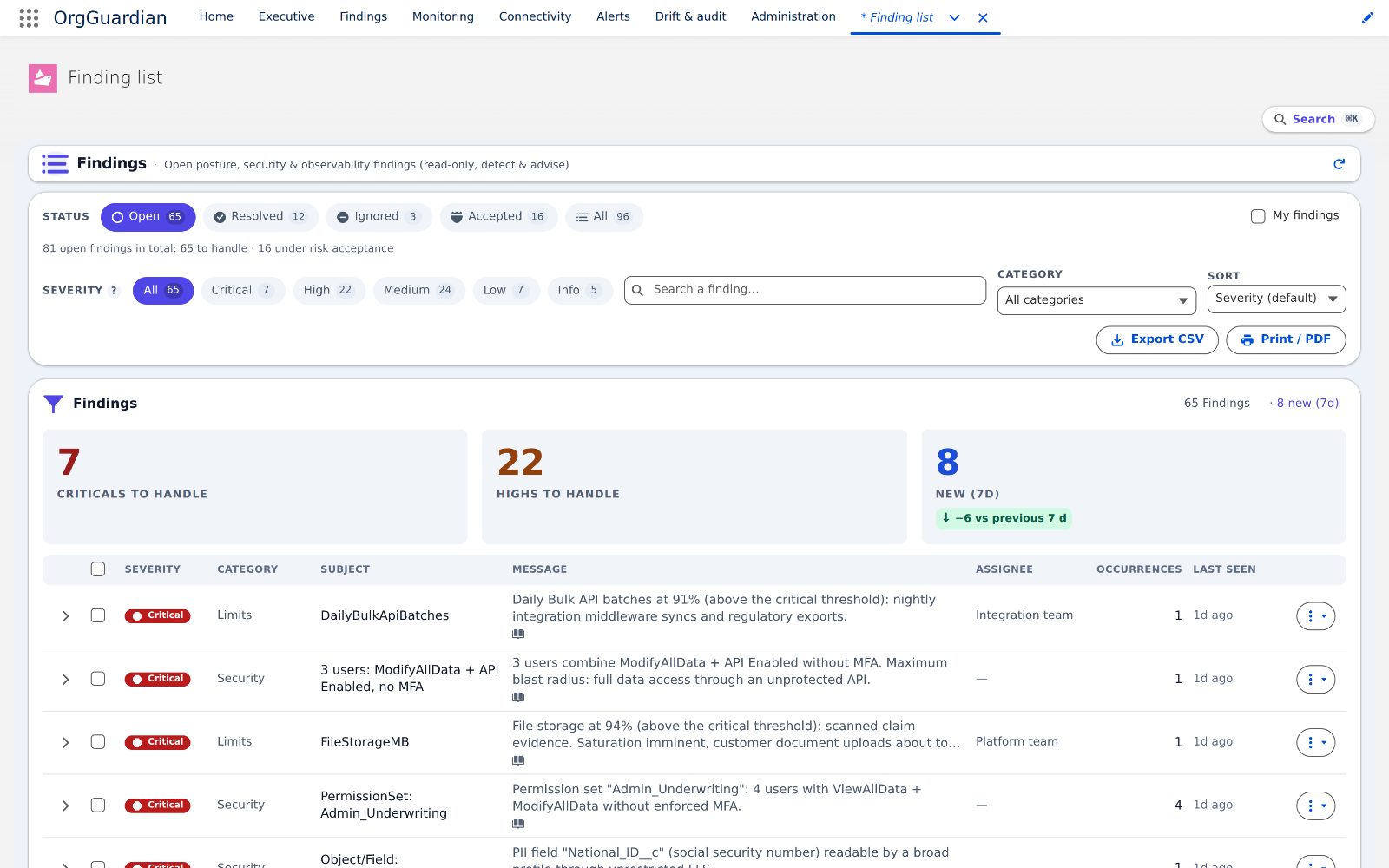
Detector BlastRadiusCollector · finding Security:ToxicCombo · threshold: (ModifyAllData or ViewAllData) + ApiEnabled on an active account with no MFA signal — a missing signal counts against the account, never for it — Small business tier
User management + permission set assignment
An account that can create users and assign them permission sets can indirectly grant itself any privilege. This is privilege escalation in the strict sense, and it triggers no native alert.
Detector SecurityPostureCollector · finding Security:OverPrivilege:ManageUsers · threshold: number of “Manage Users” holders above the ceiling set in the admin screens (5 by default). The cross with permission-set assignment is not measured today: this combination is listed because it can be checked by hand, not because a detector produces it.
Guest access and communities
The guest profiles of Experience Cloud sites sometimes inherit object privileges that were never intended for them. A read privilege granted to a guest profile exposes the data to an unauthenticated visitor — that is access control, not site configuration.
Detector GuestExposureCollector · finding Security:GuestExposure · threshold: any object readable or writable by an Experience Cloud guest profile
Connected apps and dormant OAuth tokens
A connected app authorised two years ago keeps its token for as long as nobody revokes it. The question to ask is not “who has access?” but “which OAuth scopes were granted, to what, and who still uses them?”.
Detector ConnectedAppRiskCollector · finding Security:OAuthApp · threshold: dormant at 90 days, risk score from 40 — a full or refresh_token scope is worth 30 points on its own
Which other combinations are worth watching?
-
Full access + dormant account.
Modify All DataorView All Datagranted through a permission set to an account that has not logged in for 90 days. Full access nobody uses is access nobody will notice being used.Detector
PrivilegedAccountHygieneCollector· findingSecurity:PrivHygiene:Inactive· dormancy threshold: 90 days -
Integration licence + administration privilege. A user on a Salesforce
Integration licence who also holds
Modify All Data,View All Dataor the right to publish Apex code. The identity that automates becomes the one that can rewrite everything.Detector
PrivilegedAccountHygieneCollector· findingSecurity:PrivHygiene:OverScoped -
Privileged access + password that never expires. The account combines a
high-risk privilege with a secret that has no expiry date: a leaked password stays valid
indefinitely.
Detector
PrivilegedAccountHygieneCollector· findingSecurity:PrivHygiene:PasswordNeverExpires -
Effective privilege + change since the last scan. The union of an account's
profile and permission sets has gained
ModifyAllData,ViewAllDataorAuthorApexsince the previous measurement. The escalation is dated, not merely observed. Reserved to the Small business tier and disabled at install — every other detector on this list runs with no configuration.Detector
PermissionSprawlCollector· findingSecurity:PermDrift -
Wide-reaching role + several holders. A role held by at least three active
users whose subtree covers at least 75% of the role-assigned population. Each of them can
read every record below them in the tree, and no permission had to be granted for that to be
true. Reserved to the Small business tier and disabled at install — every other
detector on this list runs with no configuration.
Detector
RoleHierarchyExposureCollector· findingSecurity:RoleHierarchy:Reach· thresholds: 3 holders, 75% coverage -
Sensitive object + open sharing default. The detector reports
four cases, not two: Public Read and Public Read/Write, each on the
internal and on the external side — communities and portals. Internal
Public Read/Write, the heaviest of the four, is raised at High severity. In every case the
records are readable without anyone having been granted a thing.
Detector
SharingExposureCollector· findingSecurity:Sharing:OWD -
Active flow + system mode without sharing. The flow bypasses the record
visibility and field-level security of the user who triggers it: the declarative equivalent
of an Apex
without sharingclass.Detector
SharingExposureCollector· findingSecurity:Sharing:Flow -
Broad OAuth scope + self-authorisation. An external client app granted the
full,api,weborrefresh_tokenscope, whose policy lets every user authorise themselves without an administrator's approval.Detector
ConnectedAppRiskCollector· findingSecurity:OAuthApp
The blind spot
These combinations trigger no native alert. Salesforce permits them all: they are valid configurations. You discover them at the audit, or at the incident.
Why does a manual review miss them?
An access review looks at privileges profile by profile. Yet a user accumulates one profile and any number of permission sets, each contributing its share. The effective privilege of an account is the sum of those layers, and that sum is displayed nowhere in a usable form.
A mid-sized org has dozens of profiles, hundreds of permission sets and thousands of users. The Cartesian product to be examined exceeds what a quarterly review can cover — and it changes between two reviews.
How do you spot them at scale?
What can be read, and where. An account's effective privilege is the union of its profile and its
permission sets: it is rebuilt from three objects — PermissionSet (which also carries
profiles, IsOwnedByProfile = true), PermissionSetAssignment (linking each
set to each user) and User (for active state, licence and last login). The fields
PermissionsModifyAllData, PermissionsViewAllData,
PermissionsApiEnabled and PermissionsManageUsers are read directly on
PermissionSet. MFA state comes from the permission set carrying “Multi-Factor
Authentication for User Interface Logins” and from the profile's session settings.
What the native interface can do: list the permission sets that carry a given
privilege (Setup › Permission Sets, filtered on a permission), and list the users of one set.
Where it stops: no screen shows a user's union of profile and sets, none
crosses two privileges, none crosses a privilege with MFA state. A standard report on
PermissionSetAssignment returns the raw list — several thousand rows on a
500-user org — without aggregating it.
The procedure, then: (1) extract PermissionSetAssignment joined to
PermissionSet for only those sets carrying at least one broad privilege; (2) aggregate
per user to obtain effective privilege; (3) keep only combinations — an isolated privilege
is not a finding; (4) join MFA state and licence, to separate the human account from the
integration account; (5) replay on every assignment change, not on every audit. That is exactly
what BlastRadiusCollector does, with a ceiling of 5,000 assignments per pass beyond
which the finding says it truncated rather than going quiet — and a missing row can make it
miss a combination, never invent one.
How long does it take to audit an org?
By hand, on an org of a few hundred users, a serious review of effective privileges is counted in days — and it is out of date the next day. Instrumented, the same measurement is replayed at every scan, which shifts the effort from collection to decision.
What should be done with a toxic permission once it has been found?
Rarely remove it outright: it serves a purpose. The useful order is to determine who actually uses it, to cover the risk with a compensating control — mandatory MFA, IP address restriction, reduced OAuth scope — then to withdraw what is no longer in use. That is why a detection tool must remain read-only: the decision to withdraw a privilege in production belongs to the human who knows how it is used.
Author
Stéphane Berthoz
Builds and maintains OrgGuardian, the Salesforce managed package published by DOPAMINE SAS. Everything described here comes from building the tool, not from reading about it.