
1profile is enough
An invisible attack surface
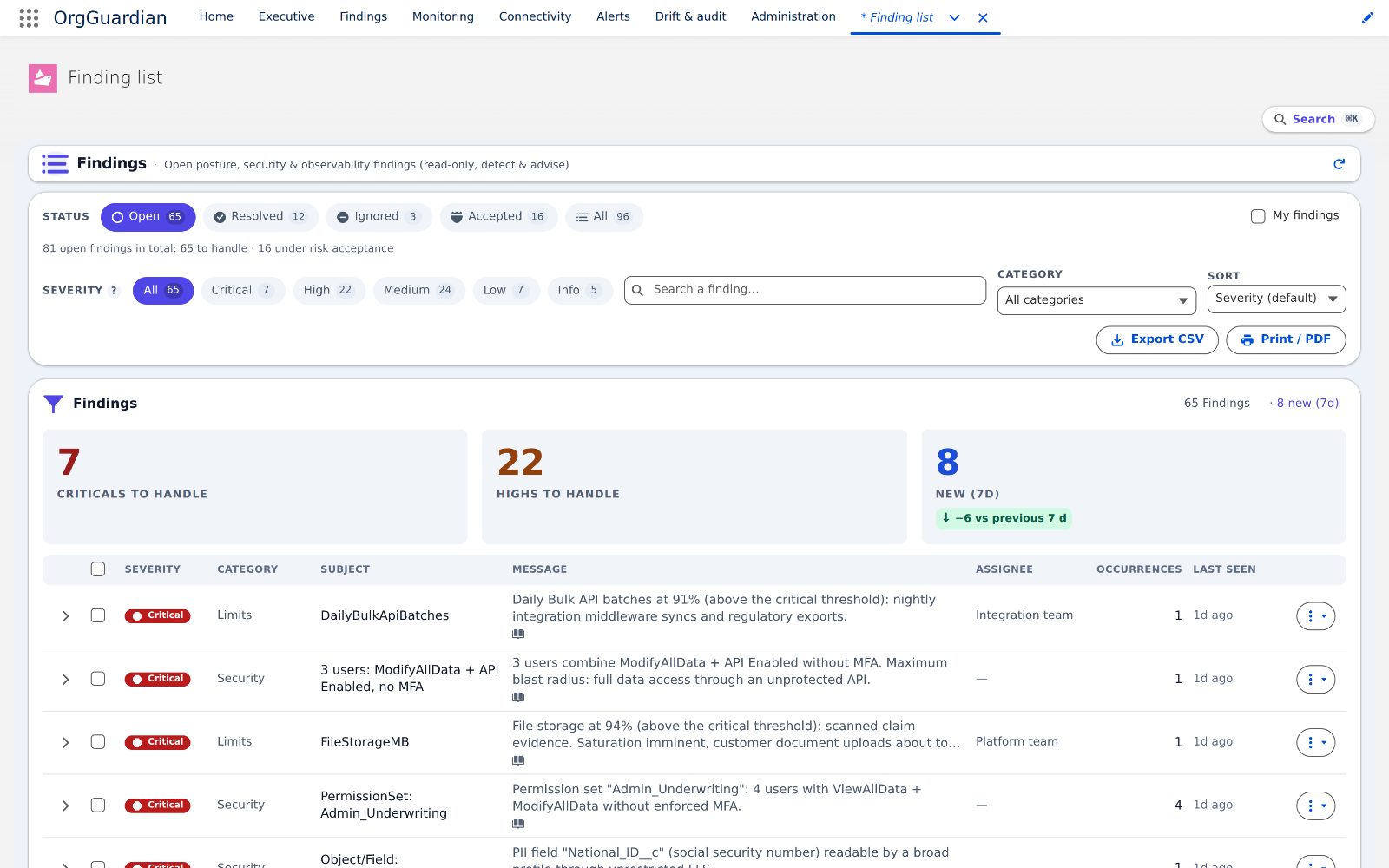
An integration user combining “Modify All Data”, the API and no MFA: the combination most often cited in Salesforce incidents, and no native alert.
Posture supervision · Salesforce
OrgGuardian scans your org continuously and surfaces what nobody looks at: toxic permissions, missing MFA, expiring certificates, limits hitting their ceiling. Every finding is explained, located, and delivered with the remediation step to apply — read-only, writing nothing into your configuration.
Salesforce managed package · 10-minute install · no outbound flow active at delivery
en_US, and findings are stored in English. A French language pack recomposes them at display time.The problem
Salesforce guarantees the platform; nobody guarantees your configuration. Permissions, integrations, certificates and code are your side of the shared responsibility contract. Nothing warns you when it drifts.
1profile is enough
An integration user combining “Modify All Data”, the API and no MFA: the combination most often cited in Salesforce incidents, and no native alert.
90days dormant
An OAuth token dormant for three months outlives the person who authorised it. A certificate expires on a Friday evening. Nothing says so before the outage.
0€ estimated
“How bad is it?” has no answer until the risk has an amount. Without a figure, the trade-off is made on instinct, and the budget goes elsewhere.
The console
Three readings: executive, CISO, admin. A 100% native managed package: nothing to host, nothing to connect. Each screen answers one precise question, without jargon.
Compliance
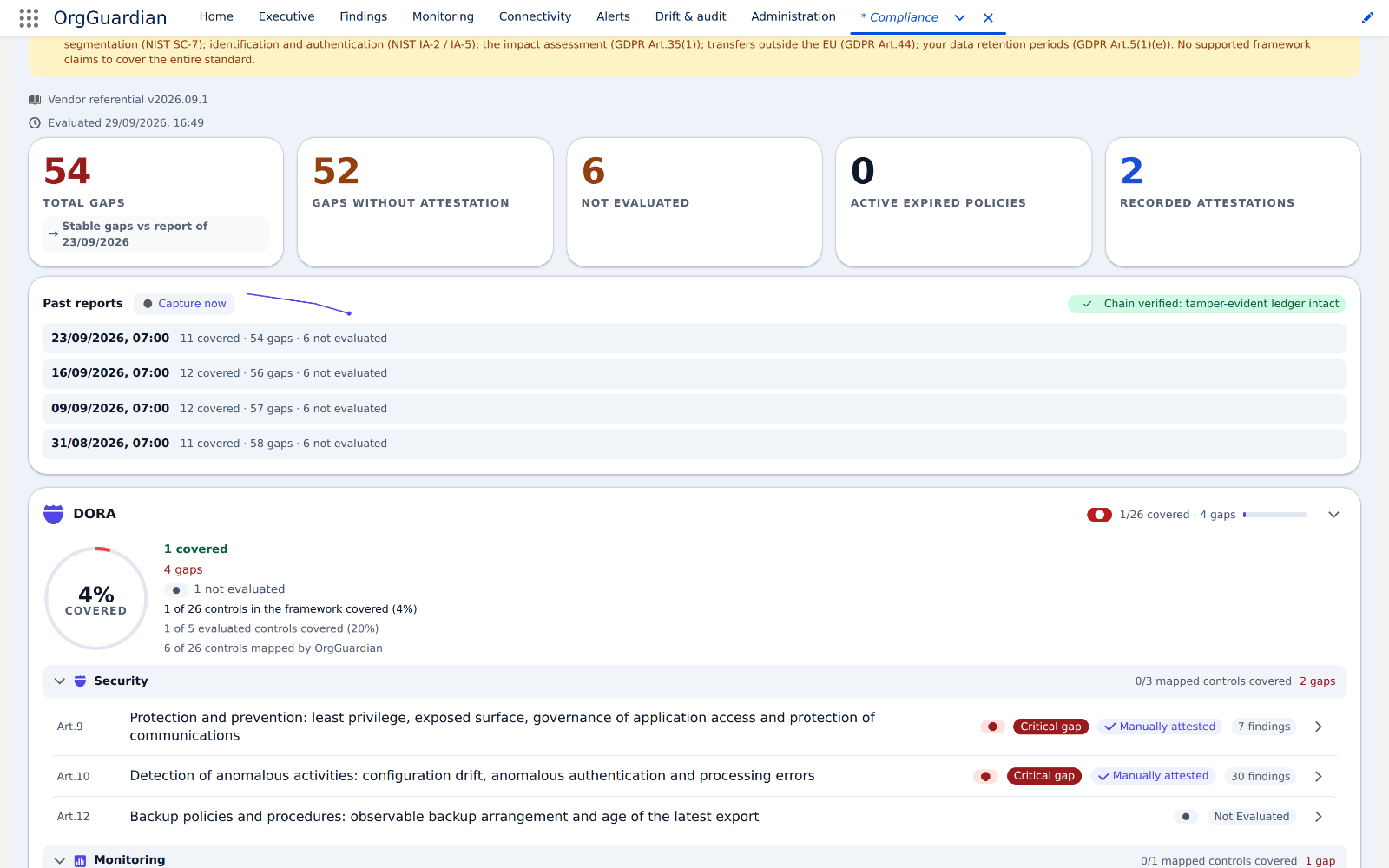
Every regulatory article is attached to the detectors that instruct it. What is not measurable is declared as such, control by control.
8
DORA, NIS2, ISO 27001, SOC 2, NIST CSF, NIST 800-53, SOX, GDPR — each with its real count.
SOX 12/15 · NIS2 6/10 · SOC 2 10/36
71
Out of 255 catalogued. The rest are procedures a package installed in an org cannot observe — and the catalogue says so line by line.
Small business tier
1
Signed, dated, with the exact scope of what was measured. Not a screenshot of a dashboard.
Small business tier
Trust
None, by default. The product's non-negotiable principle: the analysis lives with you, under your access rules.
Scan, findings, history: everything is computed and stored in your Salesforce org, in user mode — the package never reads more than the person running it.
An unconfigured feature never degrades silently: it switches off and says so. A collector that hits its ceiling writes it into its finding.
EU-hosted viewer, alert channels, ITSM, SIEM export: each opens separately, by your administrator, to a destination you choose.
Pricing
One offer per size of organisation. The price follows your number of Salesforce users, never the value of your data.
1 org, to evaluate
€0
permanent
Free forever, no credit card
up to 15 Salesforce users
€49
/ month (1 to 5 users)
No commitment, cancellable monthly
16 to 250 Salesforce users
€249
/ month (16 to 40 users)
The tier we recommend
beyond 250 users
€2,490
/ month (251 to 600 users)
Annual billing
Compare the offers in detail — 138 capabilities, one tick per cell
Questions
Not by default: no outbound flow is active at delivery. All computation and storage live inside your org. Four families of flow can then be opened, one by one, by your administrator: health aggregates to the external viewer — no personal data, hosted in the European Union — alert channels to Slack, Teams, PagerDuty or webhook, ITSM integration to ServiceNow or Jira, and SIEM export to Splunk or Microsoft Sentinel. Each one goes to a destination you choose, and each is revocable at any time.
The interface is in English: over 4,000 packaged labels are declared en_US. Finding messages are now stored in English and recomposed at display time from a 697-phrase language pack (version 2026.09.1): 109 classes set a message key rather than a sentence, and rendering picks the user’s language. Two reservations, and we would rather write them down: the pack currently carries French only, and a sentence translates all or nothing — if one fragment is missing, the stored English sentence comes out, never a blank and never a mix. If you need another language, say so when you request the trial.
Uninstalling a managed package destroys its objects and all their data: findings, handling history, metrics, signed attestations. Salesforce keeps neither a recycle bin nor a restore. Before uninstalling, export what you want to keep from the console — findings and attestations as CSV, configuration as JSON — and rehearse once on a sandbox to measure what you actually get back. Nothing is retained on our side: by default, no data ever left your org.
The installed package keeps running inside your org: it depends on no external service to scan, alert and export. Only the optional hosted viewer would go dark — and it only holds aggregates your org already owns. The licence stops being renewed, not being executed. A source code escrow is not in place today; if your procurement policy requires one, say so — it is a clause we know how to write.
Ten minutes to install. The recurring scan schedules itself the first time you open the console, and the first findings arrive within the hour that follows: on an org that has never been audited, there are always some.
Yes. The collectors are designed for Salesforce limits (bulkified mode, circuit breakers, quotas) and bounded by construction: COUNT and GROUP BY aggregates rather than row-by-row reads, explicit row ceilings per collector, and a collector that hits its ceiling says so in its finding instead of going quiet. We have not yet published a measurement on an org of several million records: if that is yours, say so when you ask for the trial. Pricing follows size: each tier has its own single price, detailed in the pricing table above.
No — OrgGuardian is a complement, not a replacement. It goes far beyond Health Check, which is point-in-time, technical, and carries no financial exposure — its only native alert is a weekly notification when the score drops. Against Security Center, it brings what that product does not cover: DORA/NIS2 compliance article by article, monitoring of integrations and limits, risk quantified in euros, and the external viewer. The two complement each other; we publish no price comparison, as Salesforce does not make its own public.
You choose a plan, or you fall back to Discovery (free, 7-day retention). Export your posture BEFORE falling back to Discovery: beyond 7 days the history is purged, and that purge is permanent — taking a paid plan again does not restore it. The export stays available at any time while you are on a plan.
No, and be wary of anyone who promises it. OrgGuardian measures the technical posture of your org and produces the evidence. Compliance remains a company-wide effort, with your DPO and your counsel. The trickiest NIS2 points of interpretation were, moreover, settled by a compliance expert’s verdict, displayed in the product itself.
Ready in 10 minutes
Install OrgGuardian on your org, let the first scan run, and look at what nobody had shown you yet.
reply within one business day · guided installation offered during the launch phase